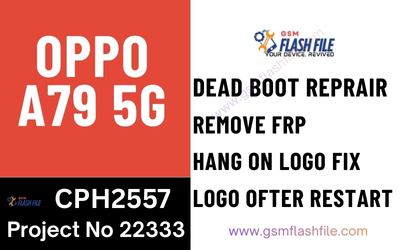
Here’s a simple, safe guide to flash (install stock firmware) on OPPO A79 5G.
This is useful if your phone is bootlooping, stuck on logo, has software errors, or you want to reinstall the original OS.
⚠️ Before You Start (Important)
- 🔒 Backup all data – flashing will erase everything
- 🔋 Battery 50% or more
- 📱 Use exact firmware for OPPO A79 5G (wrong firmware = dead phone)
- 💻 Windows PC recommended
- 🔌 Use original or good USB cable
OPPO A79 5G uses a MediaTek (MTK) chipset.
METHOD 1️⃣ – Flash Using Recovery (Easiest & Safest)
👉 Best if phone can still enter recovery.
What You Need
- OPPO A79 5G official stock firmware (.ozip)
- SD card or internal storage
Steps
- Download OPPO A79 5G stock firmware (.ozip)
- Copy the firmware to:
- Root of internal storage OR
- Root of SD card
- Power OFF phone
- Press and hold Volume Down + Power
- Select English
- Choose Install from Storage
- Select firmware file
- Confirm and wait (5–10 minutes)
- Phone reboots automatically ✅
📌 Use this method if:
- Phone boots to recovery
- Only software issue (no dead phone)
METHOD 2️⃣ – Flash Using SP Flash Tool (Advanced / Dead Boot Fix)
👉 Use this if phone is stuck on logo, dead, or won’t enter recovery.
What You Need
- OPPO A79 5G stock ROM (scatter firmware)
- SP Flash Tool
- MTK USB Drivers
- Windows PC
Flashing Steps
- Install MTK USB Drivers
- Extract firmware ZIP
- Open SP Flash Tool
- Click Scatter-loading file
- Select
MTK_Android_scatter.txt - Choose Download Only
- Click Download
- Power OFF phone
- Connect phone to PC
(Hold Volume Up + Volume Down if not detected) - Wait until green tick (Download OK)
- Disconnect and power ON
⏳ First boot may take 5–10 minutes.
❌ Common Problems & Fixes
| Problem | Solution |
|---|---|
| Phone not detected | Reinstall MTK drivers |
| Flash error | Use correct firmware |
| Bootloop after flash | Do factory reset in recovery |
| Stuck at logo | Flash again using SP Flash Tool |
🛑 DO NOT
- Flash firmware of another OPPO model
- Disconnect cable during flashing
- Use low battery
📌 Summary
✔ Recovery method = safest
✔ SP Flash Tool = for dead/bootloop phones
✔ Always use OPPO A79 5G stock firmware
✔ Flashing fixes software issues, not hardware damage
If you want, tell me:
- ❓ Exact model number (example: CPHxxxx)
- ❓ Is your phone dead, bootlooping, or working but buggy?
I’ll give you exact firmware + step-by-step tailored instructions 👍